ERP for Small Business: What You Actually Need vs. What Vendors Want to Sell You
Your Business Does Not Need a Bigger ERP Problem.
You can buy ERP and still chase stock, invoices, and approvals through WhatsApp the next morning.
Orders grow. Staff keep entering the same data twice. Stock numbers clash between departments. Owners wait too long for reports that should take minutes. Vendors then walk in with a demo full of dashboards and features nobody on your team will ever open.
This blog post is for growing Qatar startups and small businesses that want real control without unnecessary complexity sitting on top of it.
Why Do You Need ERP Software for Small Business Right Now?
You need ERP when work becomes too connected for spreadsheets. If one wrong stock number delays delivery and affects billing, the system is under pressure.
You may need ERP software for small business if :
- Stock errors happen every week.
- Sales, finance, and inventory do not match.
- Reports take more than one day.
- Staff enter the same data twice.
- Branches or warehouses work separately.
- Owners cannot see cash, orders, and stock together.
A trading company probably cannot wait.
Buy ERP because work is leaking money, time, or trust.
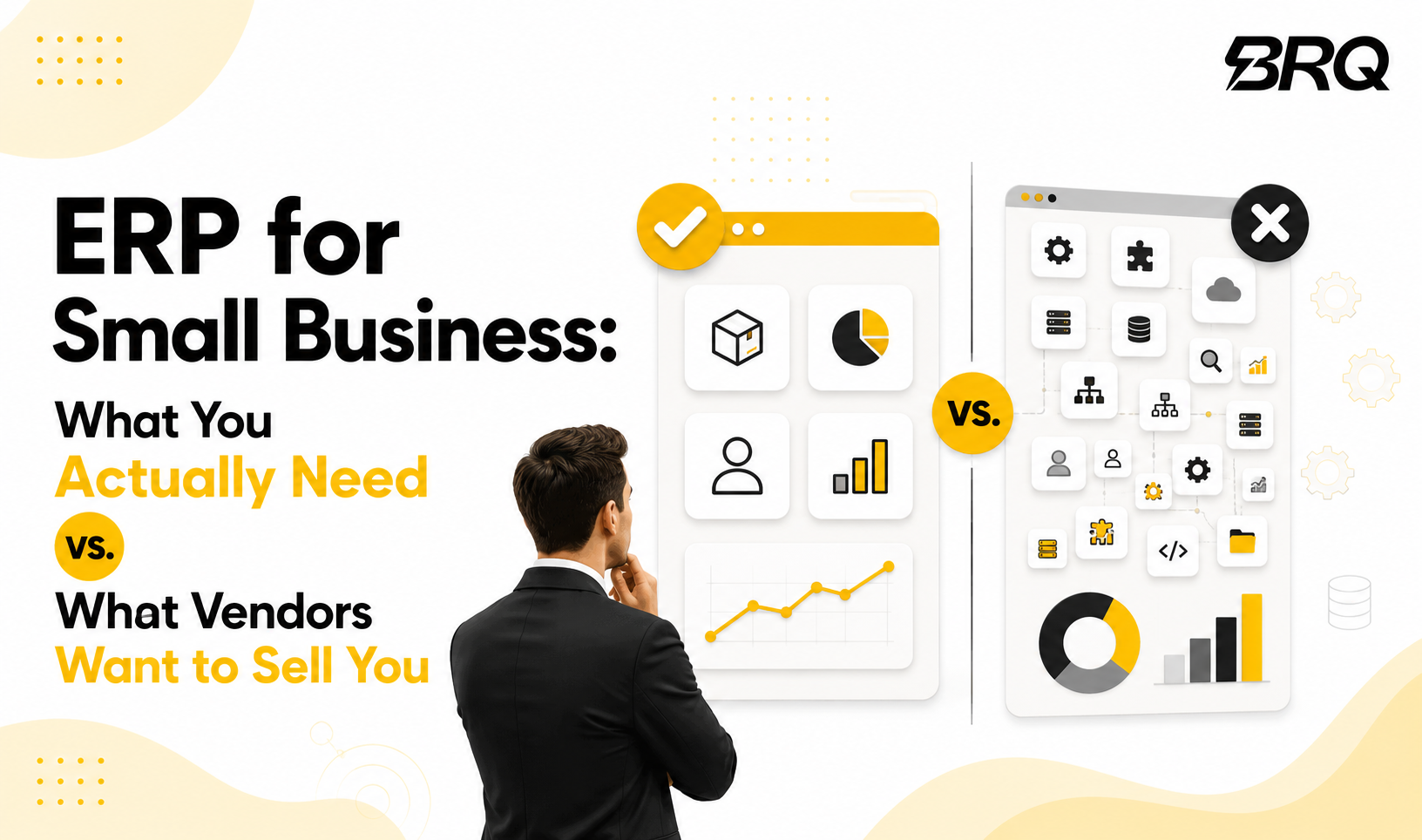
What Do ERP Vendors Sell That Small Businesses May Not Need?
Small businesses need the current version fixed first.
A polished demo may include automation, approval layers, enterprise dashboards, multi-country tax setups, and large user controls.
What small businesses usually need first:
- Inventory control
- Sales order tracking
- Purchase management
- Accounting connection
- Simple reporting
- User access control
What can often wait?
- Advanced manufacturing planning
- Heavy workflow automation
- Complex analytics
- Custom mobile apps
- Rare industry modules
- Large license bundles
If the project needs months before anyone feels value, the scope is too heavy.
Which ERP Features Should Small Companies Prioritize First?
The first ERP phase should target the areas where most mistakes happen; it is usually not the IT stuff first, but the day-to-day workflow.
For many ERP efforts in a small business context, teams usually start with inventory, sales, purchasing, finance, and reporting. Begin with inventory, so you can track item movement, on-hand quantities, reorder points, and those warehouse updates that always end up being late. Then bring in sales to log orders, customer profiles, pricing rules, and delivery status.
After that, bring in purchasing to handle supplier orders, approvals, goods received, and purchase expenses. Once that foundation is stable, connect finance, so invoices, payments, expenses, and reports remain in one spot and don’t keep getting copied around.
Finally, reporting should give the owner a real-time window into orders, stock positions, receivables, and margins without extra work or messy spreadsheets.
This is enough for many ERP for small companies in stage one. Buy a module only when one department has a clear problem.
BRQ helps businesses identify the processes causing the biggest operational delays first, then builds ERP Implementation roadmaps around inventory, finance, purchasing, and reporting before introducing advanced modules.
That keeps implementation practical and easier for teams to adopt.
Is Free ERP Software for Small Business a Smart Choice?
Free ERP can help a startup test processes, sure. But it is not automatically cheaper after setup, even if the name sounds peaceful. Implementation, hosting, training, support, backups, and even the “customization” part still pull real money. Sometimes you pay in time, sometimes in extra services, but it still costs.
That is why many founders look for free ERP software for small business, an ERP free download, or ERP software download. They are trying to reduce risk, and they want to avoid committing too early.
Still, Free ERP may fit if your team has technical support, your workflows are pretty straightforward, customization is limited, data volume stays low, and you can live with slower help.
Be careful when the business handles customer data, employee records, approvals, or finance. ERP needs security, support.
What Legal Things Should Businesses Check Before ERP?
ERP stores employee, supplier, and customer records. Qatar businesses should check compliance before setup.
Review:
- Commercial Registration and licensed activity.
- Tax registration and invoice records.
- Personal data protection under Qatar PDPL.
- Sector rules for regulated activities.
- Future e-invoicing readiness.
- User access and audit history.
The Ministry of Commerce and Industry manages commercial registrations and license applications in Qatar. Your ERP records should match the activity, branches, invoices, and documents your company is allowed to operate with.
Qatar data protection rules also matter. ERP systems may store customer names, phone numbers, addresses, employee records, and payment-related details. Qatar privacy guidance requires precautions against loss, damage, unauthorized access, or disclosure.
Qatar’s General Tax Authority operates the Dhareeba Tax Portal, and Qatar approved draft e-invoicing law and regulations in May 2026. Choose an ERP that can support cleaner invoice data and future digital tax needs.
Legal checks should happen before migration, not after go-live.
What Is the Best ERP for Small Business?
The best ERP for small business and startups is the one your team can run correctly every day. A famous platform is useless if staff avoid it.
For trading businesses, focus on inventory, purchasing, supplier pricing, and delivery tracking. For retail businesses, check POS integration, stock updates, returns, promotions, and branch reporting.
For service companies, look at project costing, billing, CRM, employee tasks, and client history. For manufacturing SMEs, check the bill of materials, production planning, batch tracking, and quality checks.
Tools like Odoo and ERPNext are often considered because they are flexible and can start small. As an official Odoo partner, BRQ helps businesses evaluate, implement, and scale Odoo based on their operational needs.
Some companies prefer managed cloud ERP because support is clearer.
Is the Best Open Source ERP Better Than Paid ERP?
The best open source ERP can be strong when the business has the right support.
Open source ERP makes sense when you want flexibility, have technical guidance, need custom workflows, can manage hosting, understand maintenance, and want less vendor lock-in.
Paid ERP may suit you when you want faster support, your team is non-technical, you prefer predictable maintenance, need vendor accountability, want simpler upgrades, and have limited internal IT time.
The actual question is who manages the system after launch. If nobody owns ERP internally, even a good platform becomes a headache.
What Questions Should You Ask Before Signing an ERP Contract?
Ask practical questions before the price. Price only makes sense after the scope is clear.
Use this checklist:
- Which four problems must ERP solve first?
- How many users need access in phase one?
- Which reports must owners see weekly?
- What data needs cleaning before migration?
- Who approves stock, purchases, and refunds?
- What Qatar legal records must be stored?
- How will personal data be protected?
- What support is included after launch?
Ask vendors to show your workflow, not a generic demo. Give them a monthly report. Their response will show whether they understand your business.
A serious ERP project starts with process mapping. Software selection comes after that.
Choose ERP Based on Problems, Not Promises
Small businesses need complete control over stock, sales, purchasing, finance, reporting, users, and records before advanced modules.
Check Qatar legal basics early, especially commercial activity, tax records, invoice readiness, and personal data protection. Then choose software that fits your budget and growth plan.
At BRQ, we help businesses like you to evaluate ERP options through workflow analysis, process mapping, platform assessment, implementation planning, and system integration support.
Whether the solution is ERPNext, Odoo, or a custom ERP environment, the focus remains the same: solve operational problems first, simplify adoption, and create a system that supports daily business decisions.
The best ERP is rarely the one with the longest feature list. It is the one your team uses confidently every day.
Frequently Asked Questions
How do I choose ERP software for small business?
Start with current problems. Focus on inventory, sales, purchasing, finance, reporting, user control, and legal records.
Is free ERP software good for small businesses?
It can work for testing. Review support, security, backups, customization, and Qatar data protection needs.
What is the best ERP for small companies?
The best ERP depends on business type, users, stock complexity, reporting needs, budget, support, and compliance.
Is open source ERP better than paid ERP?
Open source gives flexibility and lower license cost. Paid ERP can provide easier support and maintenance.
Can ERP help small businesses grow?
Yes. ERP can reduce manual work, improve stock accuracy, speed up reports, protect records, and improve control. A smaller, cleaner ERP choice usually beats a larger system nobody uses properly in the first year. Plan later carefully.